Códigos QR para ONG
Implementar códigos QR en tu ONG es una forma inteligente y rentable de maximizar tus acciones de marketing.
Ya sea para promocionar eventos de recaudación de fondos, compartir información clave o simplificar las donaciones, los códigos QR facilitan crear conexiones memorables con personas interesadas en apoyar tu causa.
Inspírate con estas ideas de códigos QR y descubre cómo tu ONG puede mejorar sus campañas de marketing.
El uso de los Códigos QR para ONG de forma creativa
Usar códigos QR en tu ONG puede ampliar mucho tu alcance y crear más oportunidades para conseguir donaciones, impulsar la defensa de tu causa y atraer voluntariado. Al añadir códigos QR a tus materiales promocionales, facilitas que las personas interesadas conecten directamente con tu causa.
Ideas innovadoras para utilizar los códigos QR en tu ONG
El éxito de una ONG depende de impulsar a la acción, ya sea con donaciones, peticiones o inscripciones de voluntariado. Pero, en un mundo lleno de distracciones, conseguir que las personas actúen puede ser complicado.
Ahí es donde entran en juego los códigos QR. Al colocarlos en materiales impresos como folletos, flyers o entradas para eventos, creas una conexión sencilla y directa entre el mundo físico y el ecosistema digital de tu ONG.
Así, resulta más fácil que nunca que las personas que apoyan tu causa conecten con ella. En lugar de depender de que recuerden una URL larga o busquen tu sitio web, los códigos QR ofrecen una vía directa y fluida a tu presencia digital con un escaneo rápido, lo que fomenta la acción inmediata.
Además, los códigos QR son flexibles. Con un Código QR Dinámico, puedes actualizar la URL vinculada al código en cualquier momento. Así, si tu prioridad pasa de una campaña a otra, tus materiales siguen siendo relevantes sin necesidad de reimprimirlos. Esta adaptabilidad ayuda a que tu ONG responda con agilidad, sobre todo en iniciativas urgentes.
A continuación, veremos algunos ejemplos de cómo los códigos QR pueden mejorar la estrategia de tu ONG y ayudarte a crear conexiones más sólidas con tu audiencia.
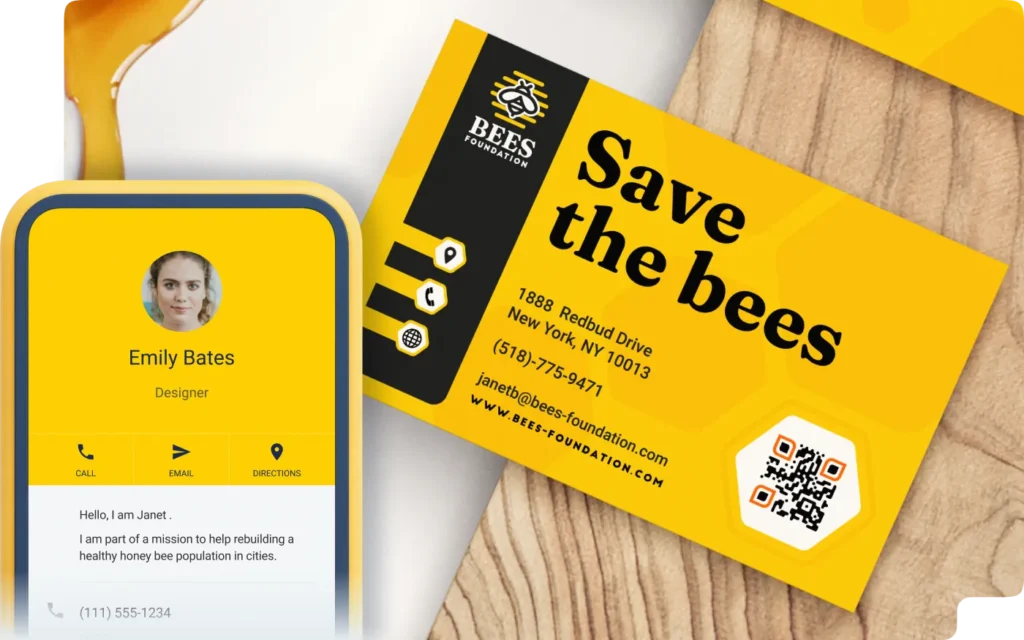
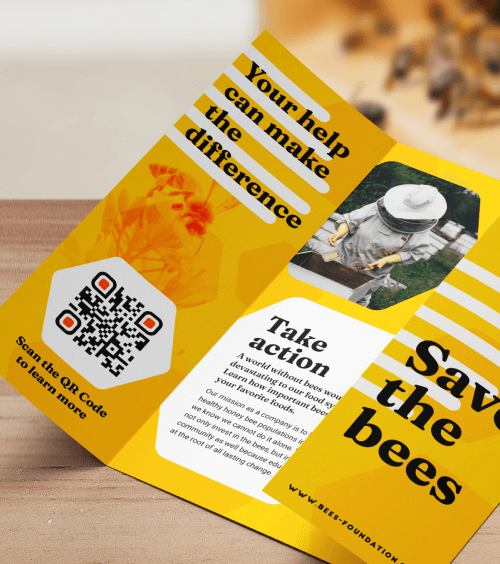
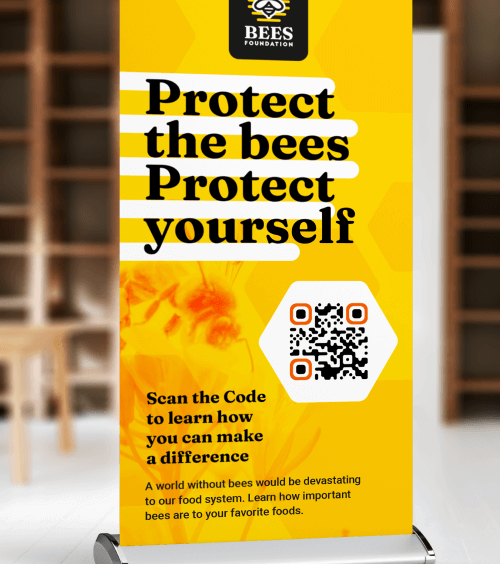
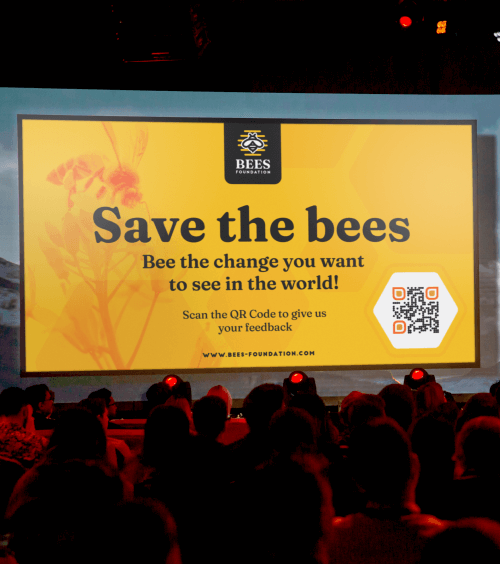
Ven a conocer a Bees Foundation
Puede que Protect the Bees Foundation no sea una ONG real, pero representa el poder de lo que tu organización benéfica puede conseguir con códigos QR.
Al incorporar estos códigos de barras a tu estrategia de marketing, puedes crear experiencias atractivas y relevantes que impulsen la defensa de tu causa y las donaciones. Tanto si quieres aumentar las donaciones, dar a conocer tu causa o impulsar la participación en eventos, los códigos QR pueden mejorar tus acciones de difusión.
¿Quieres llevar tu ONG al siguiente nivel? Explora estas ideas creativas de códigos QR para ONG y descubre cómo generar un mayor impacto.
Aumentar el reconocimiento de marca
Los materiales de marketing tradicionales, como flyers y pósteres, son excelentes para difundir tu mensaje, pero suelen generar una visualización pasiva: las personas les echan un vistazo y siguen adelante.
Pero ¿y si pudieras convertir esa interacción pasiva en participación activa? Añadiendo Códigos QR Empresas a tus materiales, puedes conseguirlo.
Con un simple escaneo, tu audiencia puede conocer mejor la misión de tu ONG, explorar tu sitio web y acceder a datos de contacto, links a redes sociales y mucho más. Esto transforma tu marketing, de un mensaje unidireccional a una experiencia memorable e interactiva, y guía a las personas interesadas hacia el siguiente paso del recorrido de marketing.
Promociona tu página de donaciones
Para aumentar las probabilidades de que tus folletos y cuadernillos impulsen a la acción, debes facilitar que las personas interesadas den el siguiente paso. Sin una ruta clara a tu página web o página de donaciones, pueden perder el interés antes de interactuar.
Al añadir un Código QR URL Dinámico a tus materiales impresos, eliminas esa barrera. Con un solo escaneo, las personas que apoyan tu causa pueden acceder al instante a tu sitio web o página de donaciones, sin tener que buscar ni escribir nada.
Esto no solo simplifica el proceso para tu audiencia, sino que el código QR también proporciona información valiosa gracias a sus analíticas. Haz un seguimiento de qué materiales generan más escaneos o determina los mejores momentos para tus campañas según la actividad de escaneo. Con estos datos, puedes ajustar tu estrategia de marketing, optimizar tu presupuesto y medir el ROI con más precisión.
Más información con más organización
Los flyers y banners tienen espacio limitado, lo que dificulta incluir toda la información esencial que necesitan las personas interesadas en apoyar tu causa. Con un Código QR PDF, puedes resolver este problema con un link directo a un folleto o cuadernillo online de tu ONG.
Esto te permite ofrecer información detallada sobre tu causa, su impacto y cómo pueden participar las personas, sin recargar tus materiales impresos. Además, cuando llegue el momento de actualizar el contenido, puedes vincular el código QR existente a un nuevo PDF. Así evitas las molestias y el coste de reimprimir, y te aseguras de que tu mensaje esté siempre actualizado.
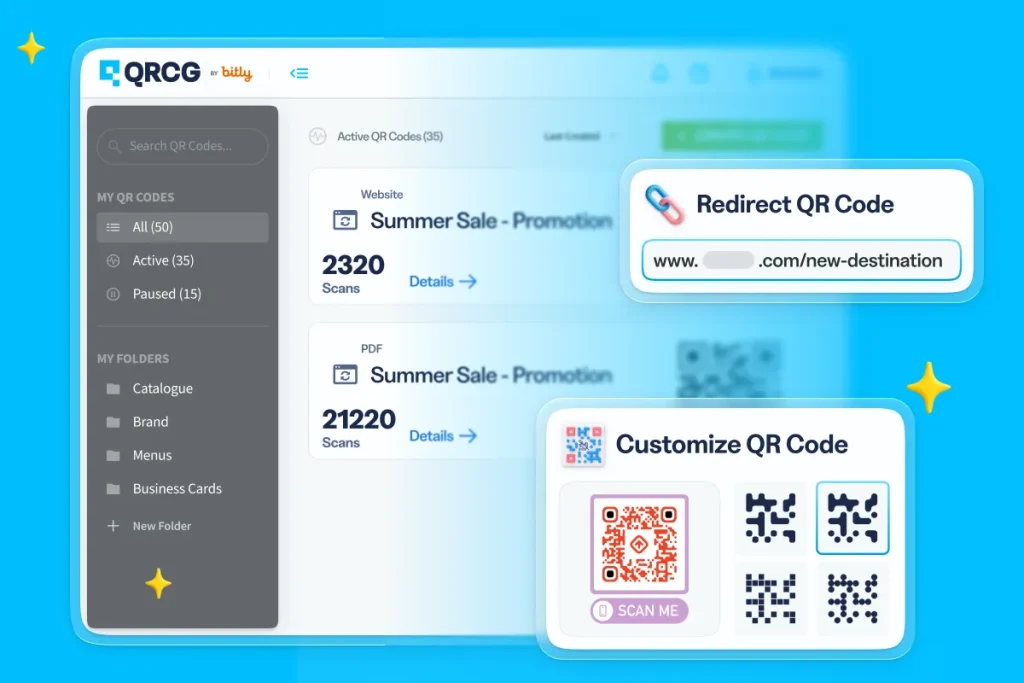
Create, manage, and track all your QR Codes.
Design beautiful QR Codes your way. Add your own color, logo, and frame.
Recibe a los miembros con un video
Los mensajes de agradecimiento sinceros son una forma muy eficaz de reforzar la conexión con personas donantes y voluntariado. Aunque las cartas y los emails de agradecimiento tradicionales son un buen punto de partida, puedes llevar tu reconocimiento más allá con un Código QR Video.
Al incluir estos códigos QR en cartas de agradecimiento, packs de bienvenida o materiales para eventos, ofreces una experiencia atractiva e interactiva que genera más impacto que las palabras por sí solas.
Pero ¿por qué limitarse a un solo vídeo? Incluso puedes enlazar a una lista de reproducción de vídeos seleccionados que muestre el recorrido, los hitos y los objetivos futuros de tu ONG para que las personas que la apoyan conozcan tu misión en profundidad. Este toque dinámico e interactivo crea relaciones más profundas, refuerza el impacto de su apoyo y fomenta una participación continua.
Recordar a las personas donantes los próximos eventos
Para las ONG, organizar eventos es una inversión, pero las posibles recompensas son aún mayores, sobre todo cuando atraes a un público amplio y participativo. Tanto si organizas una marcha de recaudación de fondos como una gala benéfica o un evento de agradecimiento al voluntariado, los Códigos QR Evento son una forma potente de conectar a personas donantes, posibles simpatizantes y personas que apoyan tu causa.
Solo tienes que añadir tus Códigos QR Evento a emails, newsletters y publicaciones en redes sociales para ofrecer a tu audiencia una forma rápida y sencilla de acceder a los detalles clave del evento, confirmar asistencia o hacer una donación con un simple escaneo. Así, resulta más fácil que nunca que las personas participen y aumentan las probabilidades de alcanzar los objetivos de tu campaña de recaudación de fondos.
Fortalece tu organización
Medir el éxito de los eventos de recaudación de fondos de una ONG puede ser complicado. Con tantas partes implicadas —entidades patrocinadoras, personas asistentes, equipo y voluntariado—, es difícil recopilar feedback de forma constante, organizada y eficiente. Los métodos tradicionales, como las encuestas en papel, llevan tiempo y son difíciles de gestionar.
Ahí es donde entra en juego el Código QR Feedback. Incorpora estos códigos QR a tus materiales para eventos y recopila información valiosa de las personas asistentes, entidades patrocinadoras, voluntariado y equipo. Basta con un escaneo rápido para que su feedback llegue directamente a tu email y te ayude a hacer seguimiento de las respuestas y evaluar qué salió bien y qué se podría mejorar.
No olvides hacer seguimiento con quienes se tomaron el tiempo de compartir su feedback. Así demuestras que valoras sus aportaciones y ayudas a crear relaciones más sólidas a largo plazo.
Nunca te quedes sin tarjetas de visita
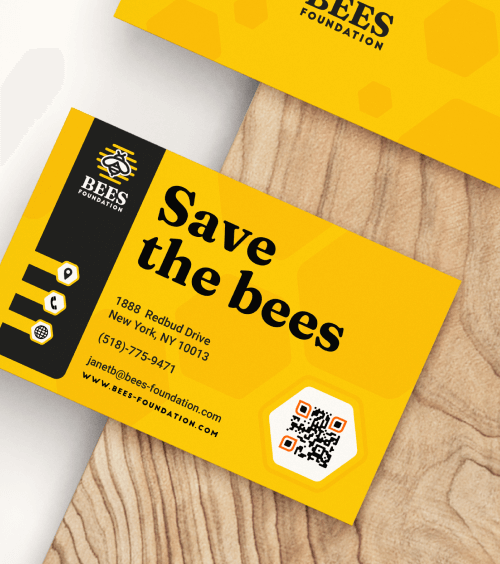
Crear conexiones significativas con posibles personas donantes empieza por facilitar al máximo que contacten contigo. Añadir un Código QR vCard Plus a las tarjetas de visita de tu ONG es una forma excelente de conseguirlo. Con un simple escaneo, los contactos pueden guardar al instante tu número de teléfono, email, ubicación de la oficina, perfil de LinkedIn y mucho más, directamente en sus dispositivos móviles.
Incluso si te quedas sin tarjetas de visita físicas en un evento, el Código QR vCard Plus funciona en tu teléfono. Las personas asistentes pueden escanearlo y guardar tus datos al momento, lo que facilita más que nunca mantener el contacto, cuidar las relaciones y ampliar la red de tu ONG.
Promociona tus redes sociales
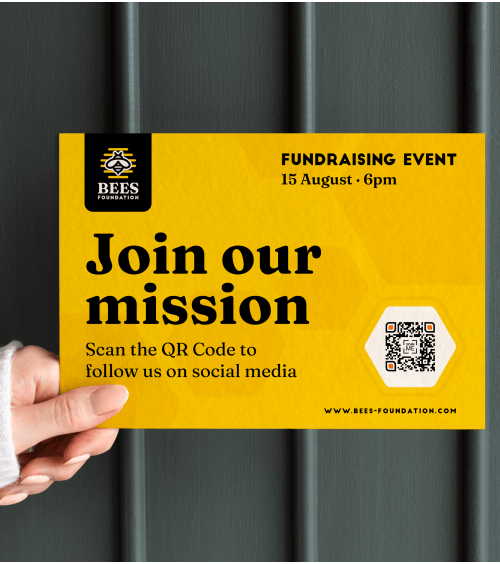
Las redes sociales son una herramienta esencial para que las ONG conecten con las personas que apoyan su causa, creen comunidad y amplifiquen su mensaje. Es el espacio en el que las personas interactúan, comparten historias y participan. Al añadir un Código QR Redes Sociales a tus materiales impresos, facilitas que posibles personas donantes accedan a todos tus perfiles en redes sociales con un solo escaneo.
Este código QR crea una ruta directa a la presencia online de tu ONG y te ayuda a aumentar el número de seguidores, generar más interacción y ampliar tu alcance. En folletos, flyers o cartelería para eventos, estos códigos QR ofrecen una forma potente de convertir la impresión tradicional en una herramienta dinámica para crear una comunidad online fiel.
Destacar oportunidades de voluntariado
La próxima vez que quieras impulsar una campaña de voluntariado, simplifica el proceso de inscripción creando un formulario de Google y combinándolo con un Código QR Google Form en tus materiales impresos, como flyers, correo directo o programas de eventos.
En lugar de depender de llamadas o emails, donde las personas interesadas en colaborar pueden abandonar el proceso u olvidarse de retomarlo, el código QR les ofrece un link directo a tu página de inscripción de voluntariado. Así eliminas fricciones y haces que participar sea mucho más fácil, lo que aumenta tus probabilidades de atraer voluntariado comprometido.
Además, puedes personalizar el formulario para recopilar información relevante, como disponibilidad, habilidades o preferencias de rol, y así asignar a cada persona voluntaria el rol más adecuado con facilidad.
Medir tu éxito
Las ONG saben que las decisiones basadas en datos son esenciales para mejorar las acciones de recaudación de fondos y defensa de la causa, pero crear la infraestructura tecnológica necesaria puede llevar tiempo, resultar caro y ser complejo. Los códigos QR ofrecen una solución sencilla y económica para empezar a tomar decisiones basadas en datos, sin necesidad de tecnología avanzada.
Con Códigos QR Dinámicos, puedes acceder a información clave sobre cuándo, dónde y con qué frecuencia se escanean tus códigos. Así obtienes una visión clara de qué materiales, campañas y eventos generan más interacción con tu audiencia. Este tipo de feedback en tiempo real te permite optimizar tus estrategias con rapidez, ajustar tu enfoque y, en definitiva, aumentar el impacto de las acciones de tu ONG.
Qué hacer y qué no hacer al utilizar Códigos QR para ONG
- Mantén los bordes blancos: ¿Conoces ese espacio blanco alrededor del código QR? Sin ese espacio, el código QR no puede ser leído, de modo que deja de ser válido para ser escaneado. Por lo tanto, intenta mantener los márgenes blancos y no difuminar los bordes del código. Los bordes blancos deben tener al menos cuatro veces la anchura de los píxeles.
- Incluye colores, una imagen o tu logotipo: atrae más escaneos añadiendo el logotipo de tu marca o una imagen en el centro del código QR. Asegúrate de incorporar los colores asociados a tu marca para que sea memorable. Es más probable que las personas escaneen un código QR con una marca reconocible y confiable para ellos. Si quieres añadir una imagen, comprueba la calidad antes de descargarla e imprimirla.
- Selecciona los colores adecuados: Cuando personalices el diseño de tu código QR, ten cuidado con el exceso de colores. Por supuesto, por un lado quieres que tu código QR resalte, pero por otro lado es bueno evitar demasiado contraste de color. Elige colores que contrasten de forma complementaria para que cada parte del código sea visible y escaneable.
- Añade una llamada a la acción (CTA): añade un mensaje que invite al público a realizar una acción relacionada con el código QR. La idea es motivar a las personas para que escaneen el código. La llamada a la acción, o call-to-action (CTA) instruye a tu audiencia sobre la acción. Por ejemplo: para fomentar más escaneos y donaciones, escribe «Haz tu donación».
- Comprueba que tus links son correctos: es importante comprobar varias veces si el link es correcto y funciona. Por supuesto, al elegir un Código QR Dinámico, podrás cambiar y editar el link tantas veces como quieras. Es una excelente alternativa para actualizar tus contenidos y enlaces siempre que sea necesario sin tener que volver a imprimir el código QR. Además, da un aire de profesionalidad y proporciona un acceso seguro a tu ONG.
- La seguridad ante todo: el paso más importante de todos antes de imprimir tu código QR es probarlo primero. Basta con apuntar la cámara hacia el código para ver si es escaneable en distintos dispositivos. Consulta nuestra guía de impresión de códigos QR para evitar posibles contratiempos.
Worry-free, mistake-proof
Integrate the use of QR Codes in the early planning stage and only add the contents when you’re ready to go live, even after print.
Perfect resolution, every time
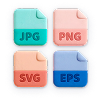
Your QR Codes stay in high resolution no matter what they’re printed on. Download in JPG, PNG, SVG, or EPS.
Stay organized effortlessly
Label your QR Codes and create folders to keep them nice and tidy so you can focus on performance.
Collaborate securely online
Add team members to your account and take full control over what they can see or do—complete with their own logins.
Make a great first impression
Customize the short URL or stand out from your competitors and use your own domain to foster brand loyalty.
Stay on top of everything
Add campaign info so you know when the campaign starts, which medium it’s on, and how many copies are printed.
Los códigos QR estáticos no se pueden rastrear ni editar una vez creados. Por lo tanto, funcionan mejor para casos de uso personales y únicos.
Los códigos QR dinámicos son más adecuados para el marketing porque puedes rastrear, medir y editar tu código en cualquier momento. Corrige errores tipográficos después de imprimir o ajusta los materiales de marketing a mitad de la campaña sin necesidad de crear un código nuevo.
Ve a QR Code Generator y regístrate para obtener una cuenta. Selecciona Create QR Code en el panel de control. En la página siguiente, selecciona Website y luego haz clic en el botón Next. Luego, nombra tu código QR e ingresa la URL de tu página de donación o de destino en el campo.
¡Ahora es el momento de jugar! Personaliza los colores, el logotipo, el marco, el borde, la forma y la llamada a la acción (CTA) de tu código QR.
Pro tip: Recomendamos encarecidamente agregar tu logotipo para que los donantes reconozcan tu marca. Esto fomentará mayor confianza y hará que los donantes se sientan seguros al donar a tu causa.
Una vez que hayas completado todos esos pasos, descarga la imagen de tu código QR. ¡Felicidades! Eres oficialmente el orgulloso propietario de tu propio código QR.
Sí, puedes crear códigos QR estáticos gratis, pero no se pueden editar ni rastrear. Por eso, te sugerimos seleccionar códigos QR dinámicos para tu organización sin fines de lucro.
Ten en cuenta que si te registras para una prueba gratuita, solo tendrás acceso a tus códigos QR dinámicos durante 14 días. Después de eso, se desactivarán. Si quieres reactivarlos, simplemente actualiza a uno de nuestros planes de pago. Visita el Centro de ayuda para más información.
Una vez que hayas creado tu código QR, descárgalo en el formato que prefieras (PNG, JPG o SVG) y añádelo a tus folletos, volantes, carteles y otros materiales de recaudación antes de imprimir. Para maximizar la visibilidad, asegúrate de que el código QR destaque; si es demasiado pequeño, puede pasar desapercibido o no escanearse correctamente.
Para tarjetas de presentación o volantes, apunta a un tamaño mínimo de 2 x 2 cm (0.8 x 0.8 in) y, si no estás seguro, es mejor imprimirlo un poco más grande. Prueba el código QR en tu pantalla y después de imprimirlo para asegurarte de que se escanee correctamente.
Las soluciones de códigos QR proporcionan una forma rentable e impactante para que las organizaciones sin fines de lucro amplíen su alcance e impulsen acciones clave como donaciones, registros de voluntarios y asistencia a eventos. Son una forma versátil de involucrar a los seguidores en tiempo real.
Ya sea que estés promocionando un evento de recaudación de fondos, pidiendo donaciones o reclutando voluntarios, los códigos QR facilitan que las personas actúen de inmediato. Simplifican el proceso al conectar el mundo físico con el ecosistema digital de tu organización sin fines de lucro, permitiéndote llegar a una audiencia más amplia con el mínimo esfuerzo.